Documentation
Everything you need to build with Quantalogic
QuantaLogic UI
Introduction
QuantaLogic is a platform dedicated to building one's wealth of "Generative AI assets". www.quantalogic.app is the "Client" version of QuantaLogic, an all-in-one AI Framework enabling interaction with AIs through:
- Powerful, multimodal chat modes
- Flow modes: Custom app development and workflows, automated generation in agentic mode
- Autonomous agent modes: Two agentic frameworks developed: React and CodeAct Agent
- Multi-LLM access, customizable for each individual
Open Source Documentation: Documentation on the AI Architectures and assets developed by QuantaLogic is available in Open Source mode on Github at https://github.com/quantalogic/quantalogic/tree/main
General Presentation
QuantaLogic offers a 360° vision of the Generative AI assets that can be developed, from the basic prompt to the most elaborate autonomous agentic framework.
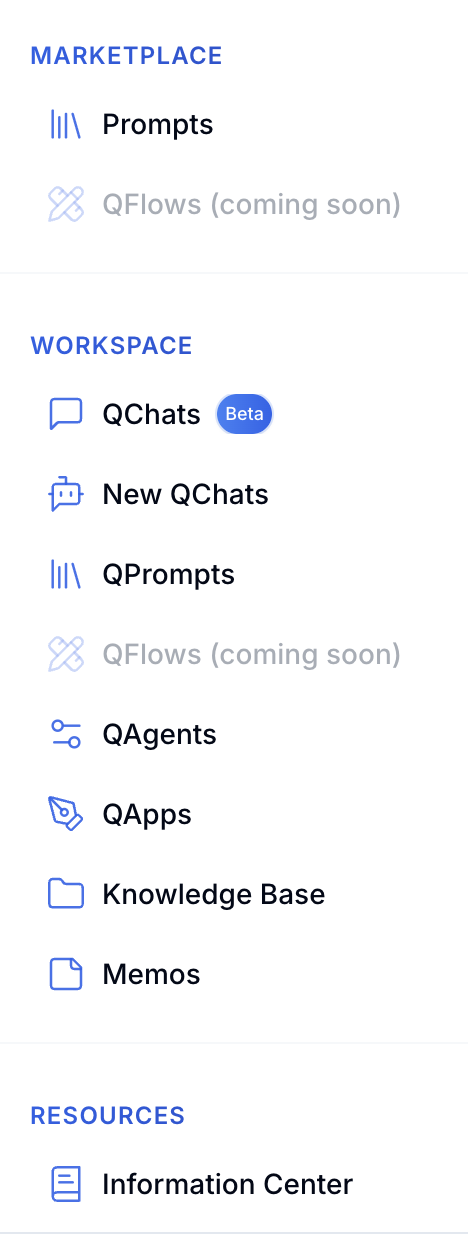
Core Features
MARKETPLACE
QuantaLogic offers a Marketplace, bringing together AI assets such as prompts, Apps, Workflows and Agents, enabling anyone to "test" and "duplicate", i.e. copy existing, proven assets onto their personal or organizational space.
WORKSPACE
The "Workspace" tab displays individual workspaces, those of your organization and those of the teams to which you belong.
This structure enables everyone to create and test their own AI assets. Once validated, these assets can be shared across the organization and its various teams. Versioning of developed assets is integrated.
Qchat
Qchat: an advanced, multi-language conversational mode with a host of features, such as differentiated personas, integrated diagram generation, html rendering, Web search and an innovative visual mode for optimal management of each conversational interaction.
Knowledge Base
The "Knowledge Base" space is a document space with two components: an individual space and a shared space for the organization and/or teams to which each member belongs.
Documents can be dragged and dropped within the folders you've created.
QuantaLogic Interfaces
Dashboard page
A Dashboard, or home page, that centralizes the latest information and assets created and made available on the platform's marketplaces.
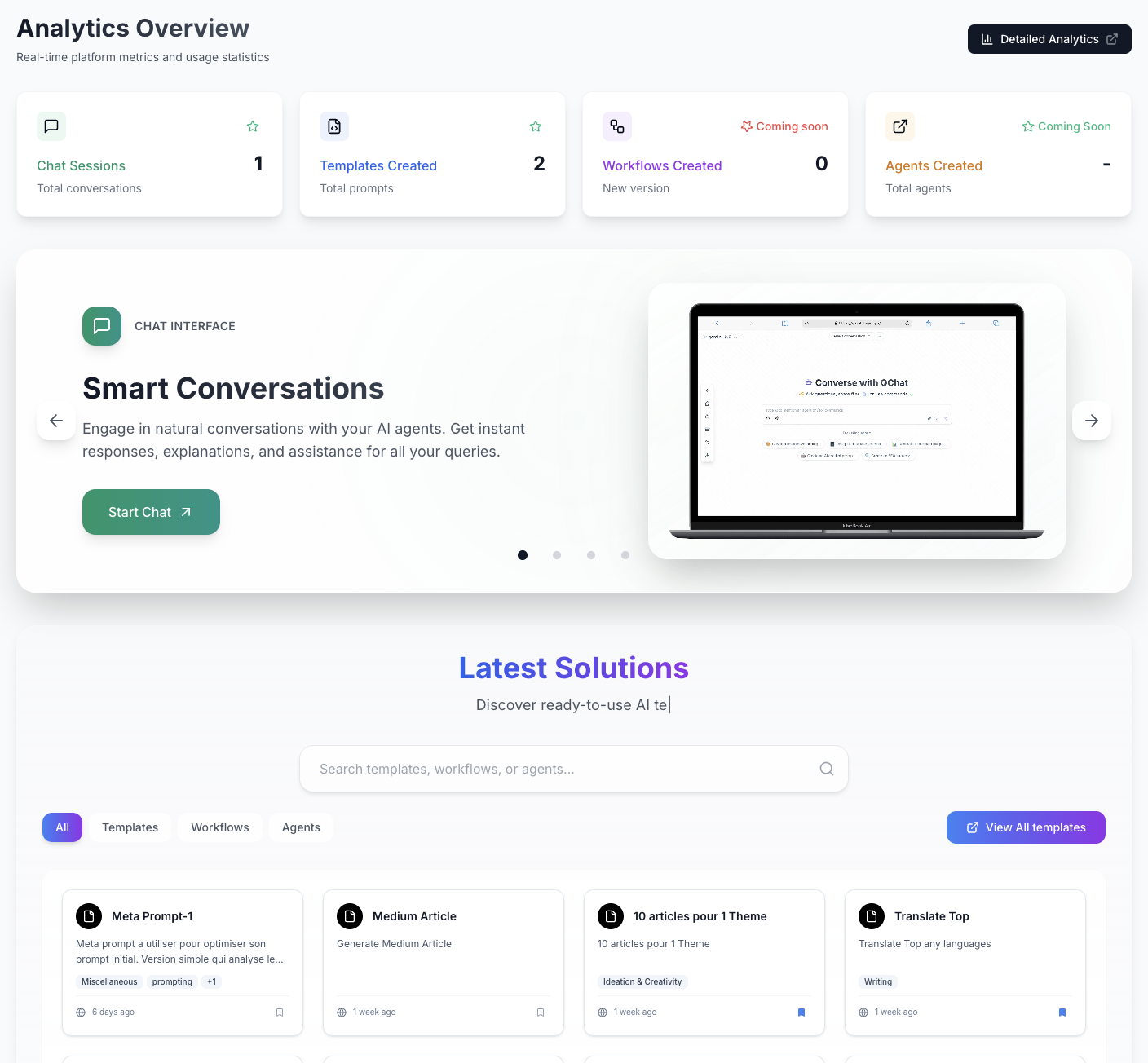
Page Marketplace
The marketplace presents generic "AI assets" that can be shared with the QuantaLogic community.
Prompts Marketplace
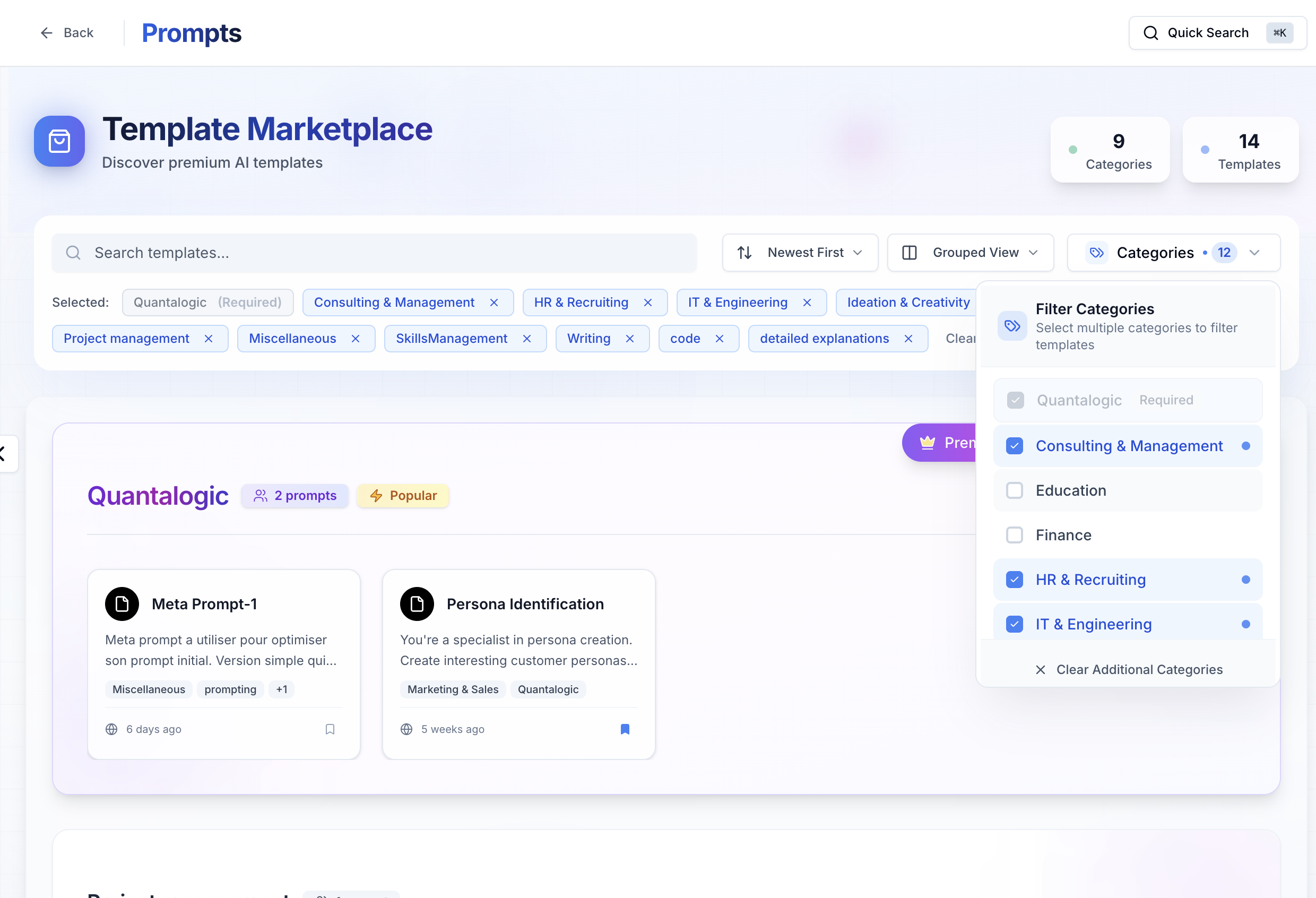
Searches by "Category" (IT & Engineering / HR & Recruiting / Research / Marketing ...) and "Tags" can be initiated. You can customize the view mode and layout, choose to view only your favorites, etc...
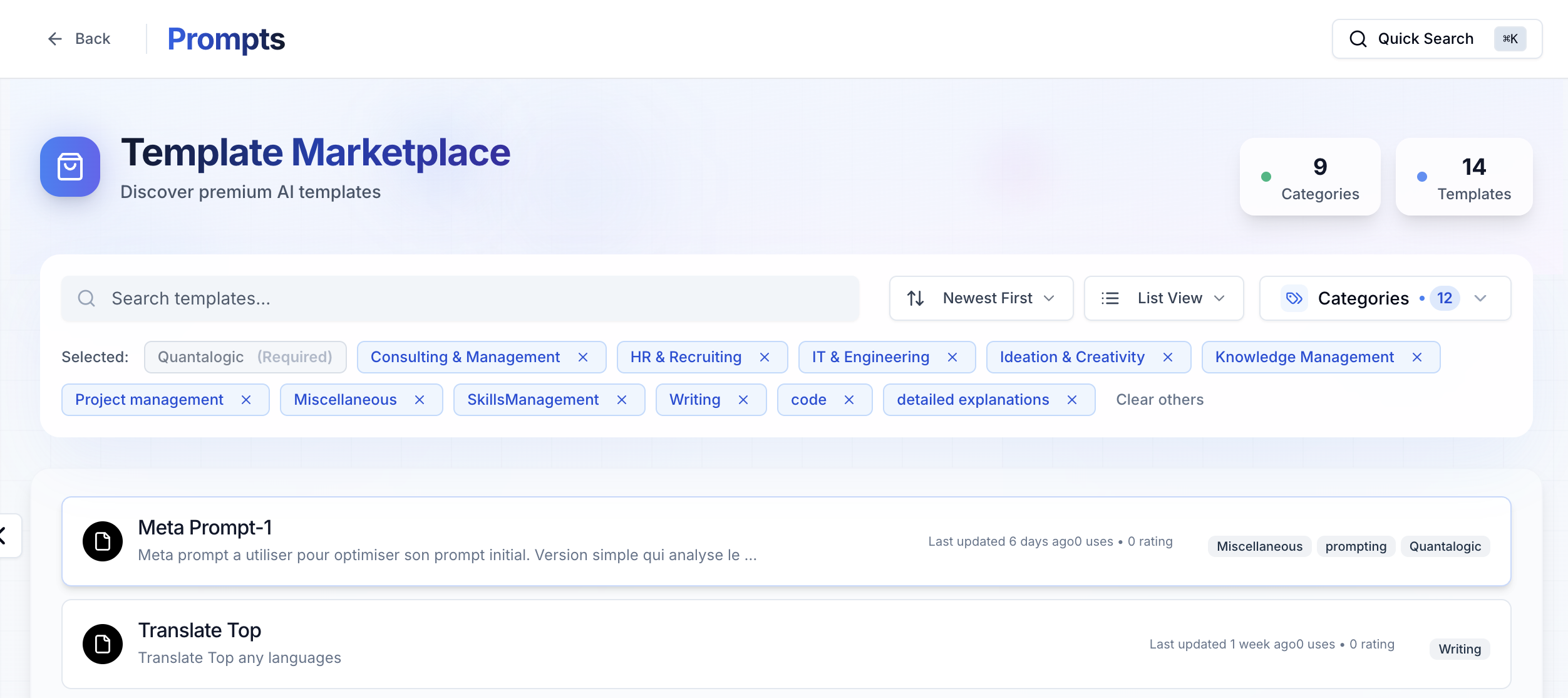
All the assets presented, as well as Prompts templates, Apps, Workflows and Agents, are available to all, so that you can draw inspiration from the work made available and adapt it to your own context.
Workspace
Access to your workspaces. They are the workspaces of :
- Your organization
- Your TEAMS
- Your personal workspace
They group together the functionalities or "AI assets" of :
- Conversational chat
- Prompting
- Workflows
- Apps
- Your agents
Each prompt template created, for example, is then stored in its own area (Personal, Organization, Team, Marketplace), accessible via the many filters provided.
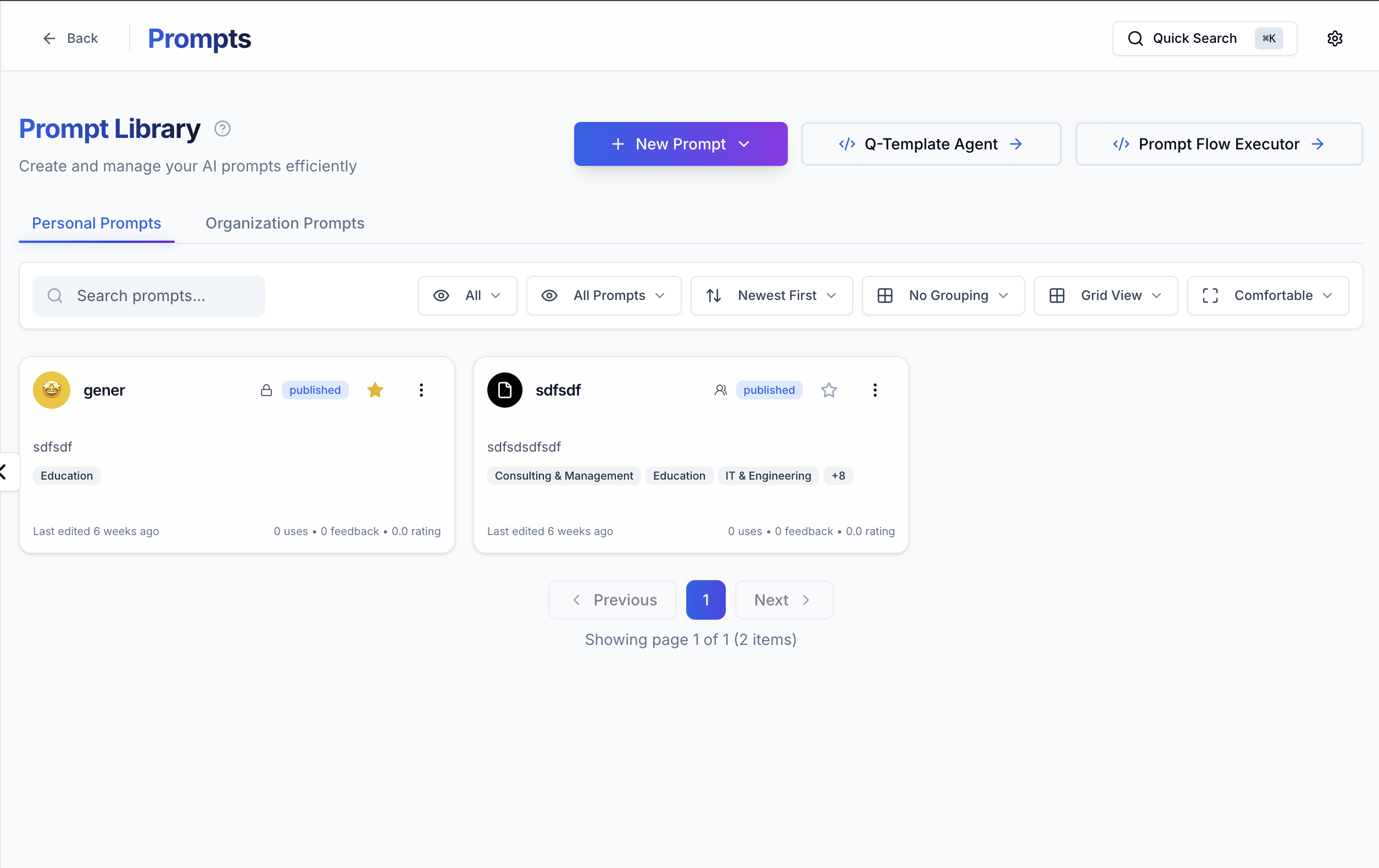
Template prompts
Through QuantaLogic, you can :
- Create a prompt from scratch or integrate your own Yaml or via a url
- Create your prompts heritage
- Arrange, classify, version and add keywords to them
- Use an advanced mode to optimize your initial prompt (prompting aid)
- Duplicate existing prompts to use and customize them
- Easily translate a prompt from a source language to a target language
- Organize your own library of prompts
- Share your prompts with colleagues
- Switch from your prompt to chat mode
- Infer your prompts into conversational chat or workflows
- ...
The interface for creating prompts is as follows:
The final prompt configuration displays its Name, description, associated variables, associated Tags, model and parameters entered, and the prompt registration space (my personal space, my organization, my team, the Marketplace, etc.). This information is used to help you organizing your template prompts and prompts library
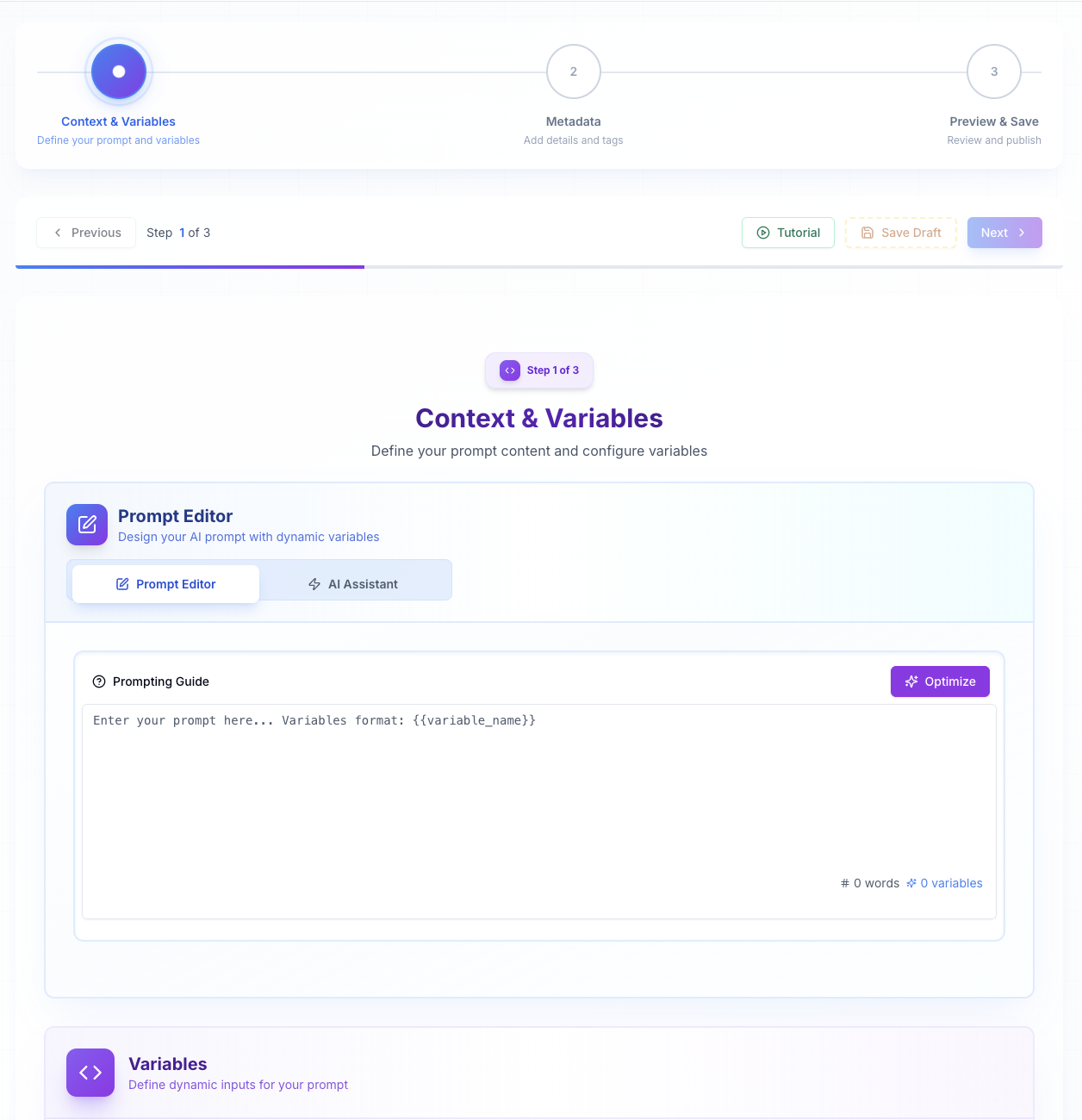
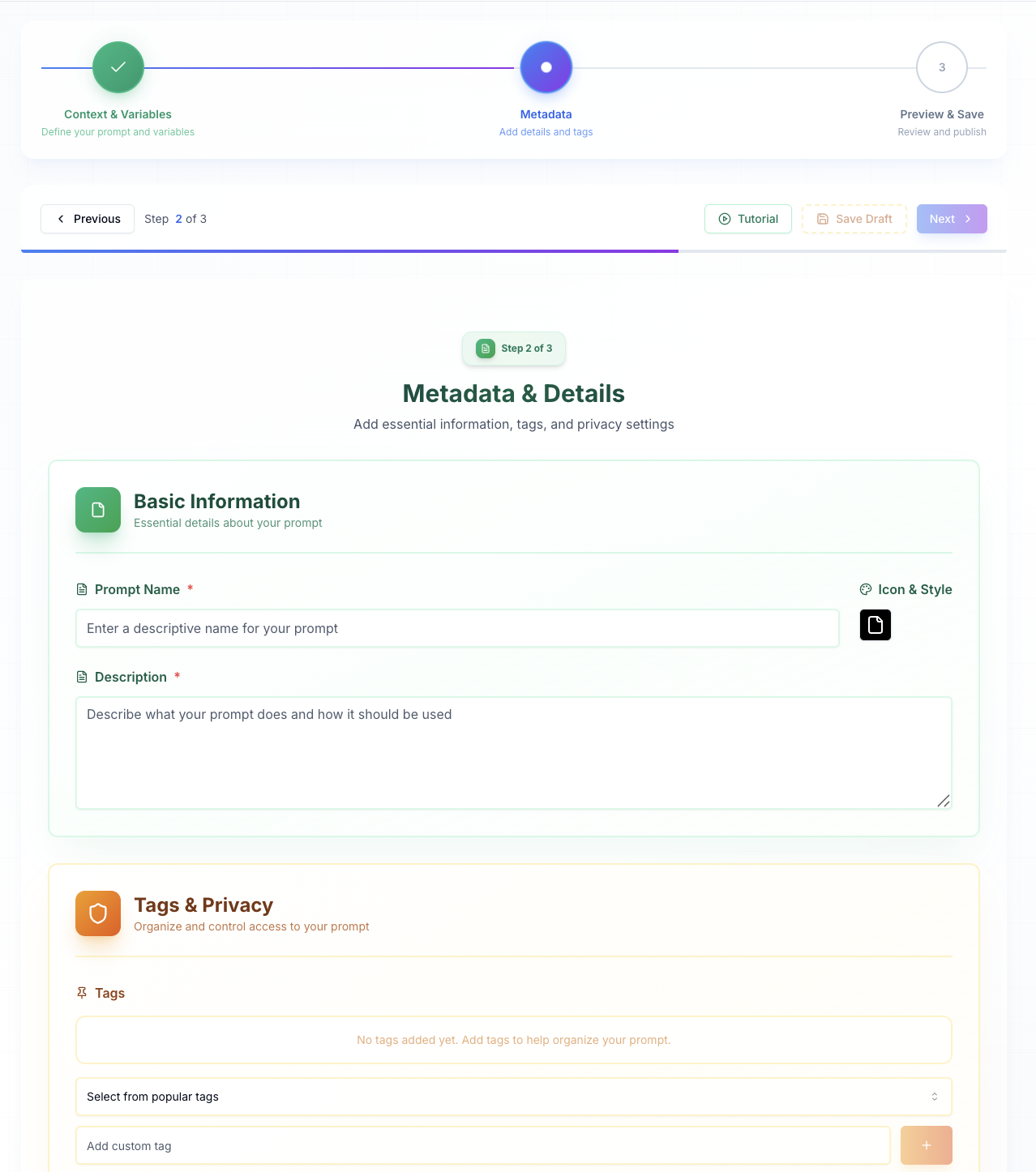
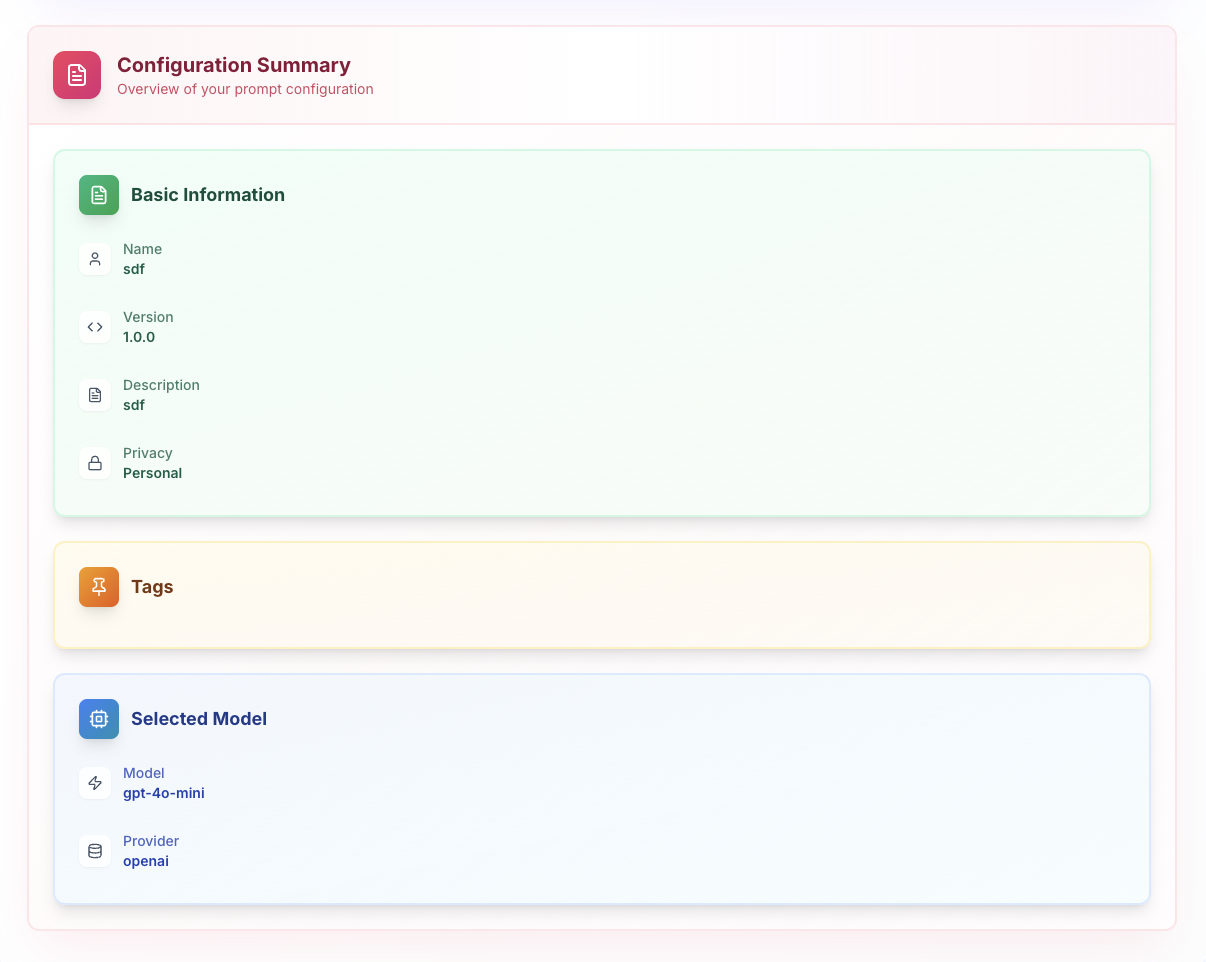
The final prompt configuration displays its Name, description, associated variables, associated Tags, model and parameters entered, and the prompt registration space (my personal space, my organization, my team, the Marketplace, etc.). This information is used to help you organizing your template prompts and prompts library
Creating a prompt is simple at first glance. I send an "instruction" to a LLM and it replies. But communicating with an LLM requires real know-how, if you want to obtain satisfactory results. That's why QuantaLogic includes prompts for non-experts.
QChat, the conversational chat
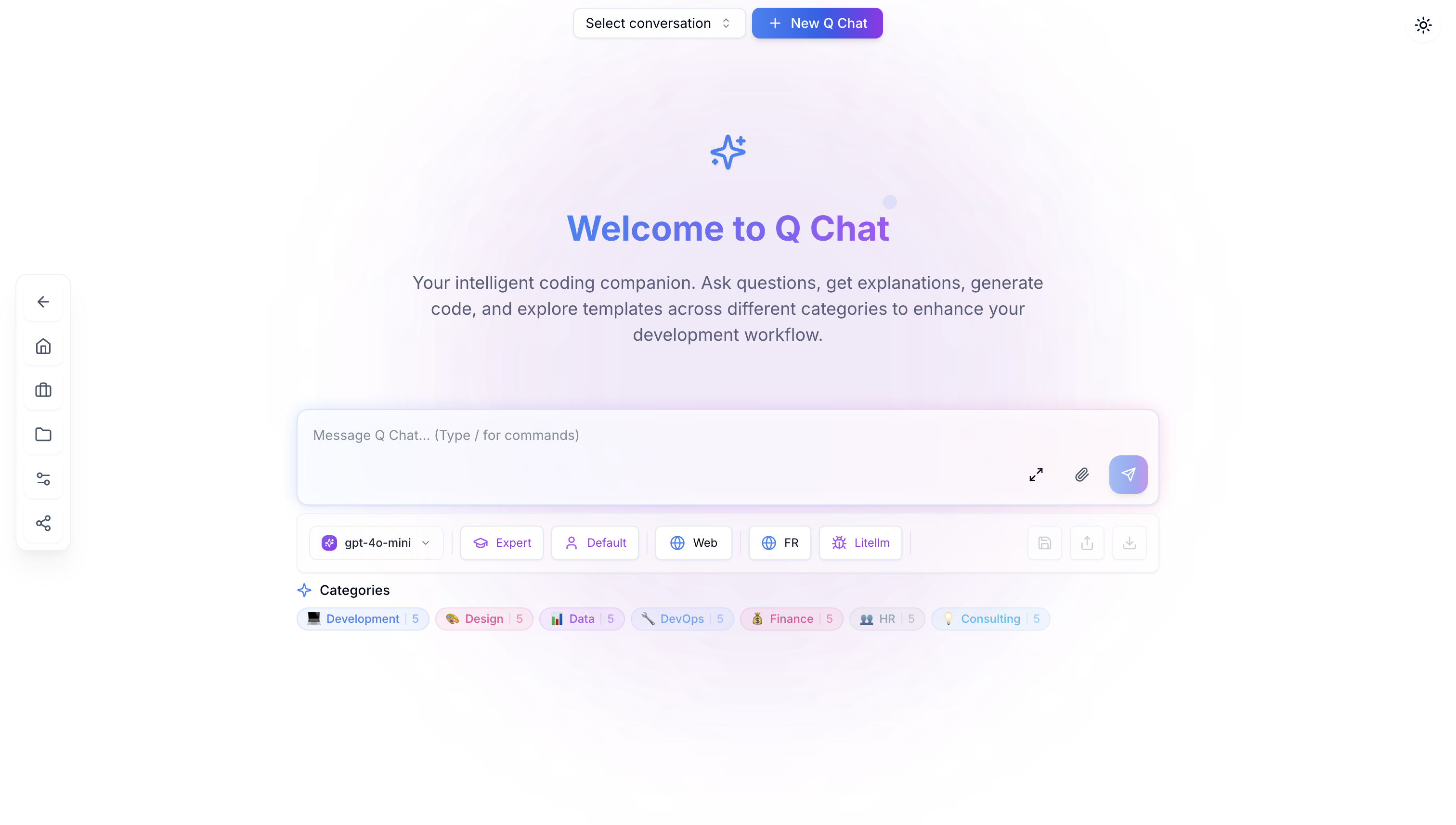
QuantaLogic Chat offers a conversational space rich in functionalities and visualizations, enabling you to query all the LLMs chosen and validated by your organization and made available through the platform.
Your conversations are easy to record, classify, save, edit and share. Qchat is a formidable tool for finding and structuring information, a window on the world that gives access to the digital heritage of the Web and LLMs.
QApps
QApps are "agentic applications" developed by the QuantaLogic teams to address a specific theme, such as the creation of tutorials or training materials. QApp documentation is available in Open Source mode on the QuantaLogic GitHub platform, as well as when a QApp is opened to generate jobs.
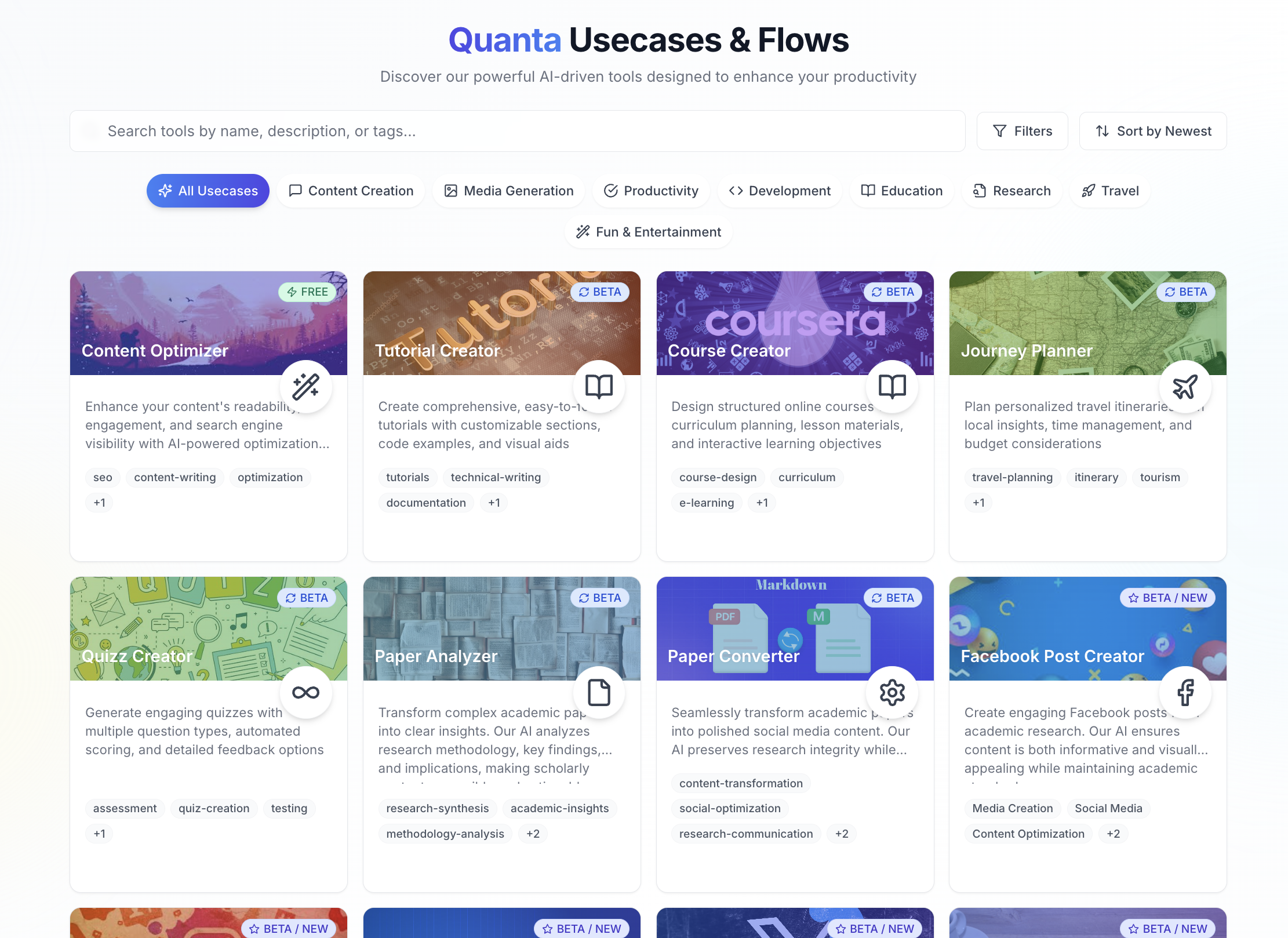
QuantaLogic teams will be able to create "tailor-made" QApps for specific business verticals and themes, based on the needs expressed by QuantaLogic customers.
Documentary areas
The QuantaLogic document space lets you upload hundreds of documents, reports and content that you can interrogate via prompts, conversational modes and agentic modes. Depending on your needs, your document spaces can be queried in "Context" or "Search" mode, the latter based on embeddings and refined RAG techniques.
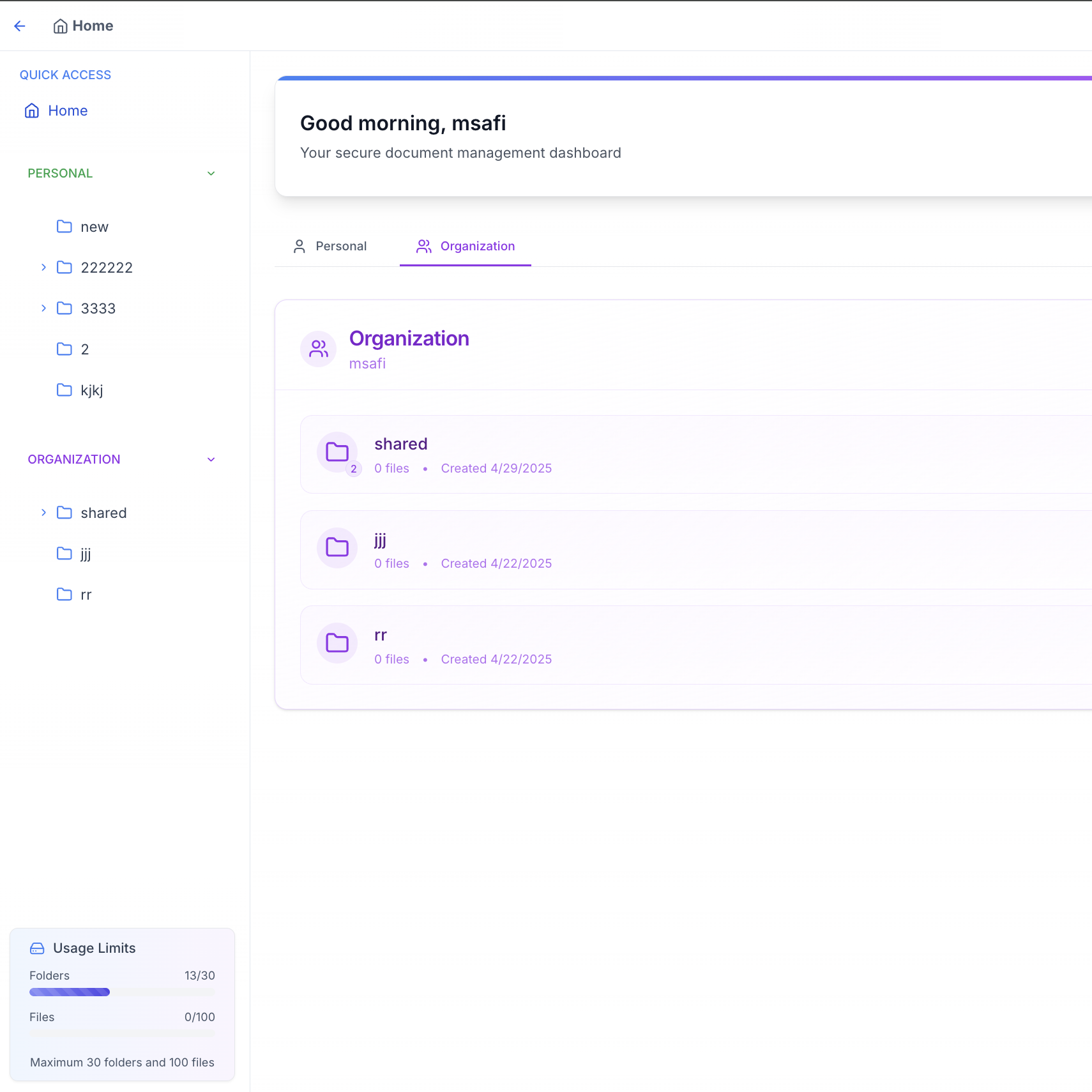
You can download hundreds of documents, organized in Personal / Organization / Teams folders, created to suit your needs. Each "Team" has its own dedicated document area. All documents deposited on QuantaLogic are encrypted, stored in partitioned areas accessible only to authorized teams, and hosted on the European servers of QuantaLogic's Cloud hosting partners.
The Analytics Page
Analytics dashboards for each organization and customer account are available on each QuantaLogic customer space, offering near real-time monitoring of user consumption and usage. You can track and manage your consumption of tokens and quantas, and easily manage your monthly subscriptions. Numerous filters (models used, uses made, etc.) allow you to understand the use of each token within your organization.
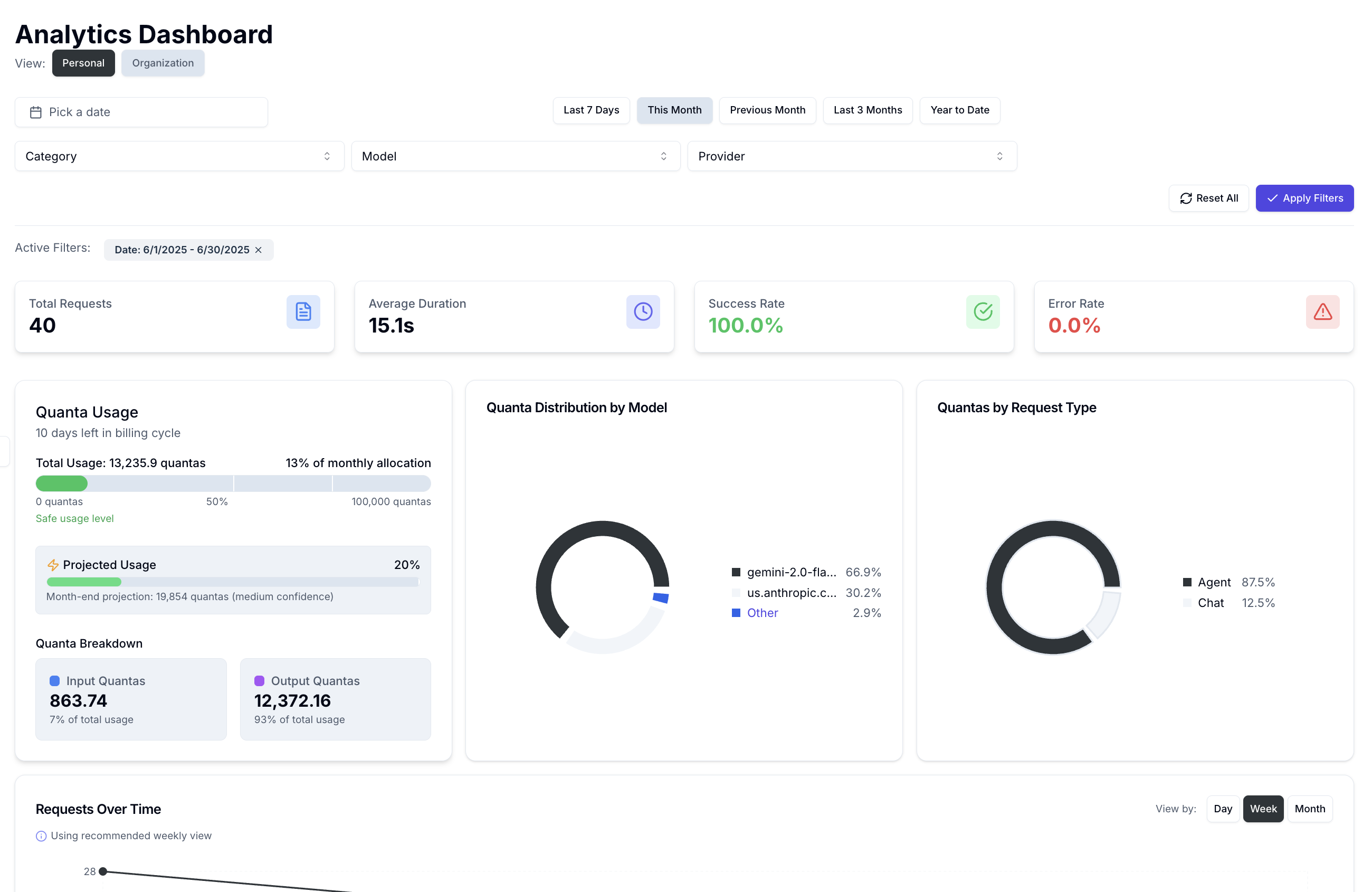
Coming soon: the integration of a CSR dashboard, displaying monthly Co2 consumption resulting from user usage. An organization needs to be able to know the Co2 consumption of its Generative AI uses.
A golden rule: stay at the "state of the art" of Generative AI technologies
The AI generative technologies available today are the result of the development of AI technologies developed since the 1950s. Conversely, Generative AI and its conversational mode is still very "young", this technology having only appeared in November 2022, with the release of the first consumer version of ChatGPT.
In other words, today (2025/06) we're still in the infancy of this technology, which has become part of our daily lives at a dizzying pace - almost 1 billion users, after just 2.5 years of existence.
QuantaLogic is firmly committed to an active monitoring approach. Every month, new functionalities and new uses appear; the world of Research has seized on this ecosystem to make it grow at great speed. The competition for chips is colossal, in terms of the capacity of Large Language Models and their applications to handle ever more contexts, ever greater volumes of training data to be processed in less time.
In our view, it is essential to pursue a policy of "active monitoring" to support QuantaLogic users and provide them with state-of-the-art technological Models and Frameworks to optimize their application and business processes.
The Quantalogic Roadmap will be regularly shared on our document space.
Finally, as a responsible European player, QuantaLogic is committed to :
- An active and resolute approach to preserving the confidentiality of user data, in compliance with the principles of the RGPD,
- An active approach to action, reflection and sharing on the societal issues raised by the emergence of AI technologies and their impact on human societies.
In addition, please feel free to view some of the videos we've generated.
Example:
Watch our video presentation of the platform: https://www.quantalogic.app/information-center/tutorials/getting-started/introduction
Watch our video presentation of QChat's Conversion Mode https://www.quantalogic.app/information-center/tutorials/chat/examples